FontCreator 16 – Design & Edit Fonts Faster
The #1 font editor for Windows & macOS. Create, refine and export OpenType, TrueType and responsive variable fonts fast— all backed by a free 30-day trial.
Version 16.0.0.3077 released on July 17, 2026


The Font Editor That Delivers
FontCreator is the only font editor that lets you modify an existing font and preserve its full OpenType layout feature data — every substitution, positioning rule, lookup flag, and feature parameter, exactly as the original designer authored them. Refine a glyph, adjust metrics, kerning, or extend coverage without re-authoring the typography that makes the font work.


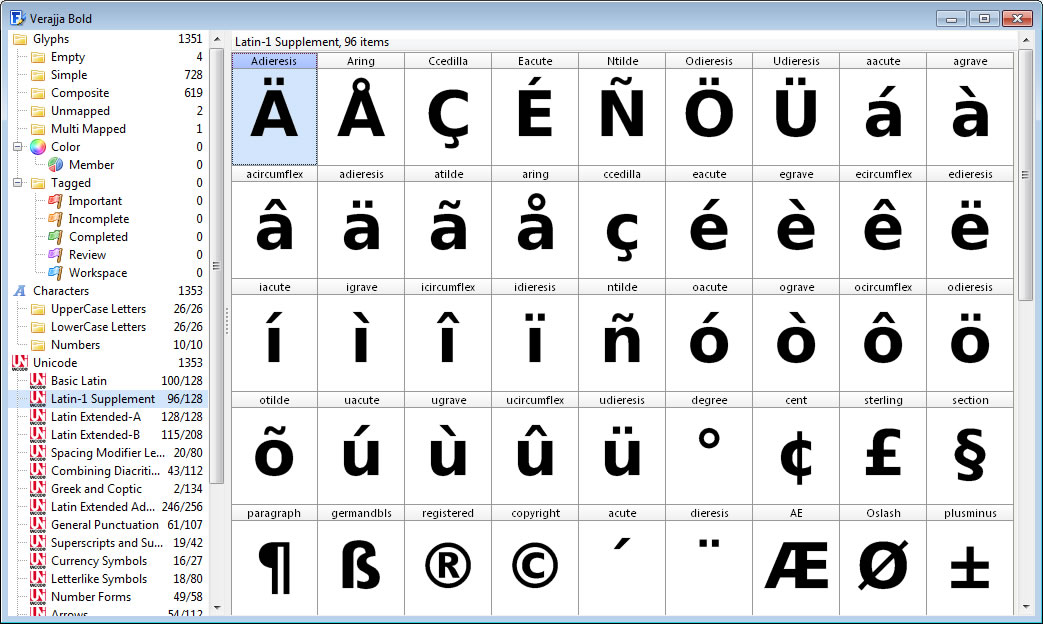
Font Overview with Categories
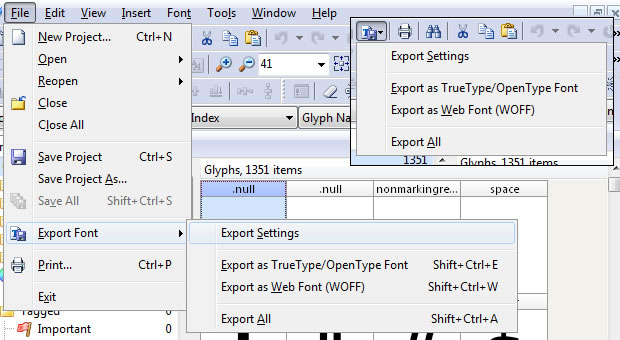
OpenType, TrueType and Web fonts
FontCreator supports all common font formats, including OpenType, TrueType, and Web Open Font Format (WOFF and WOFF2). These fonts are universally accessible across Windows, Mac OS X, Linux, and all modern web browsers.
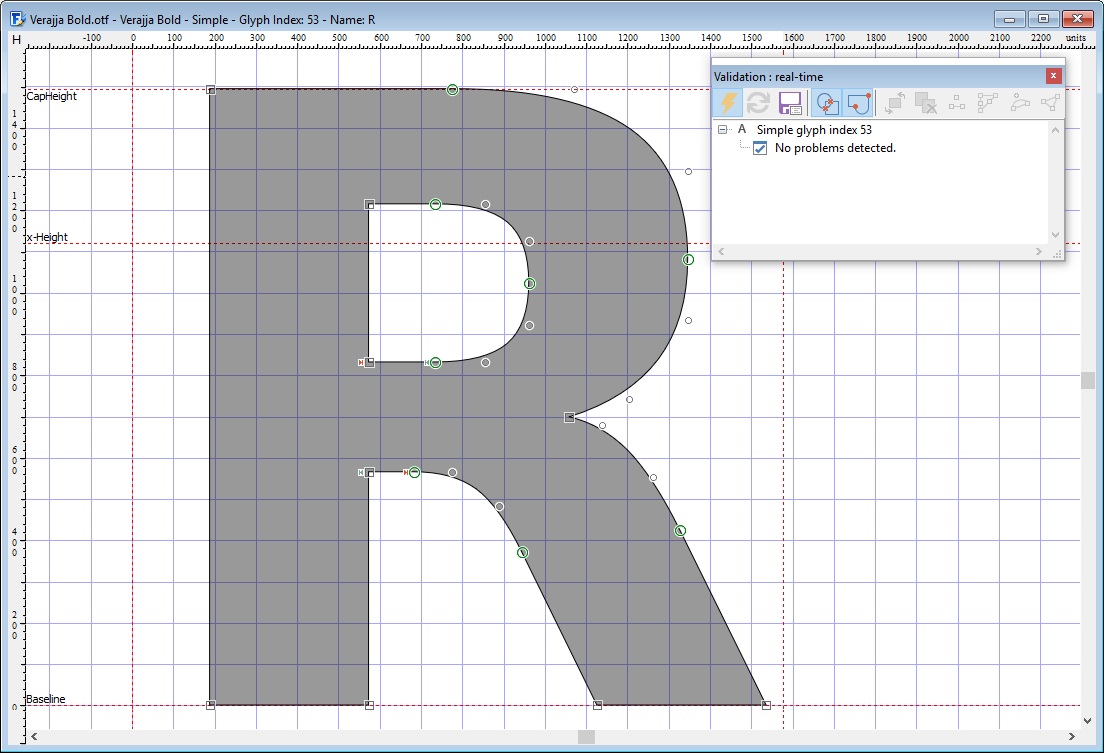
Design High Quality Fonts
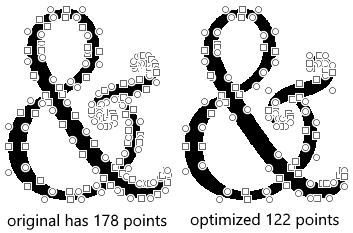
Optimize Contours
Optimizing glyph outlines will reduce the number of points that make up the contour(s). It supports both quadratic and cubic bezier curves.
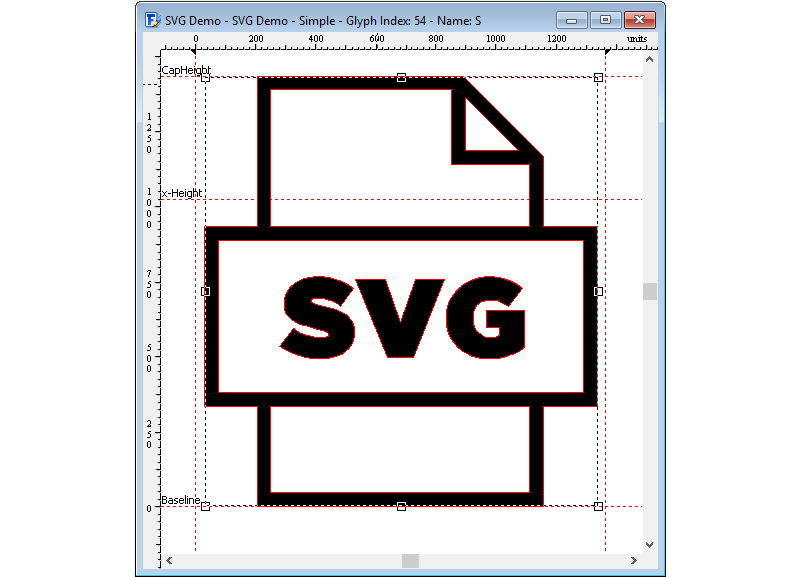
Import Vector Images
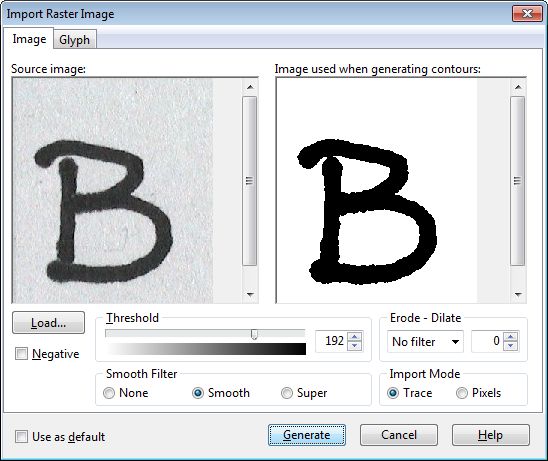
Import Raster (bitmap) Images
Effortlessly import scanned images of your handwriting or manuscript into fully-fledged glyph outlines.
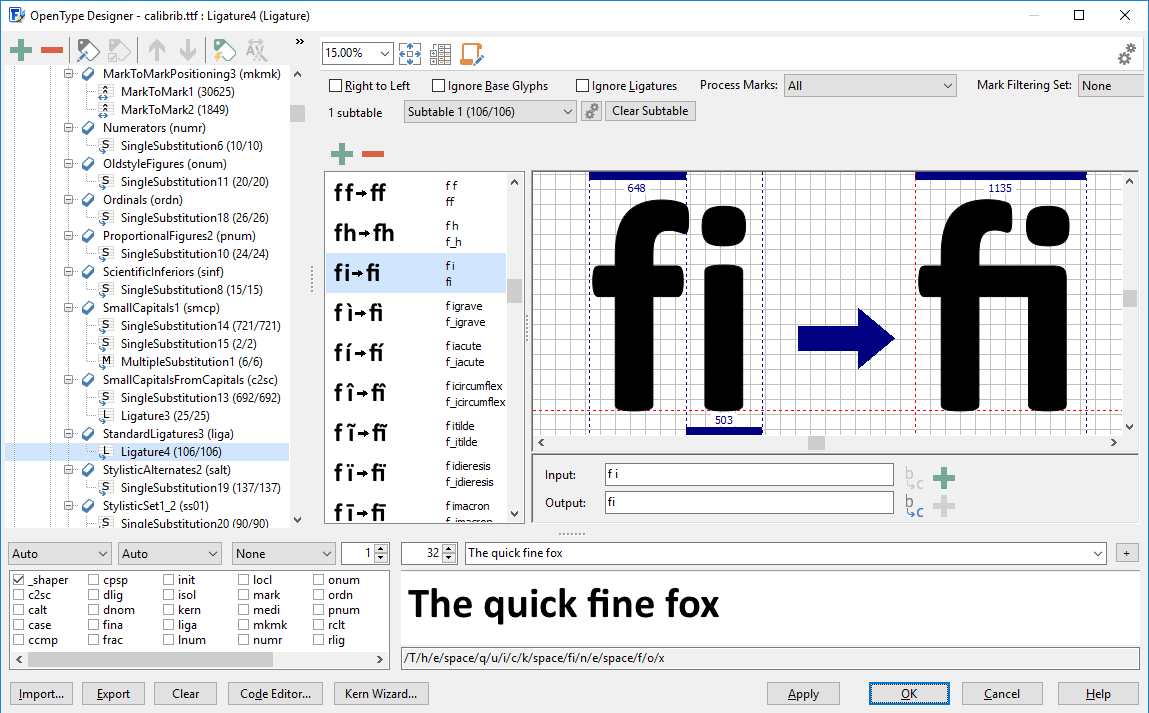
Visual OpenType Designer
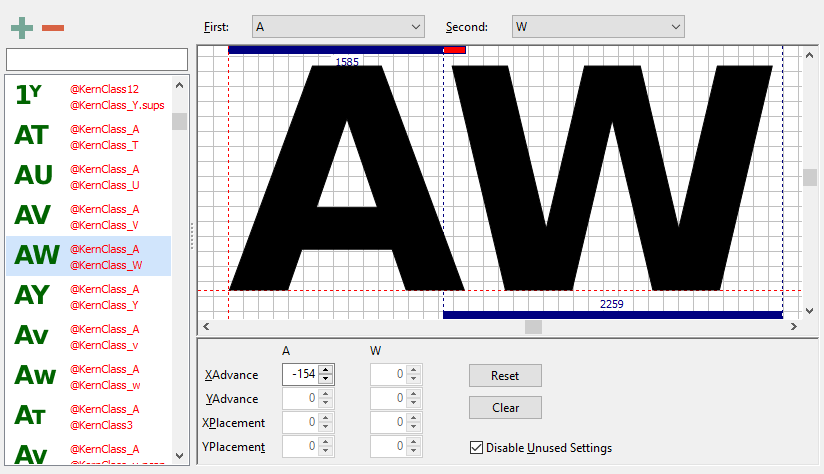
Kerning
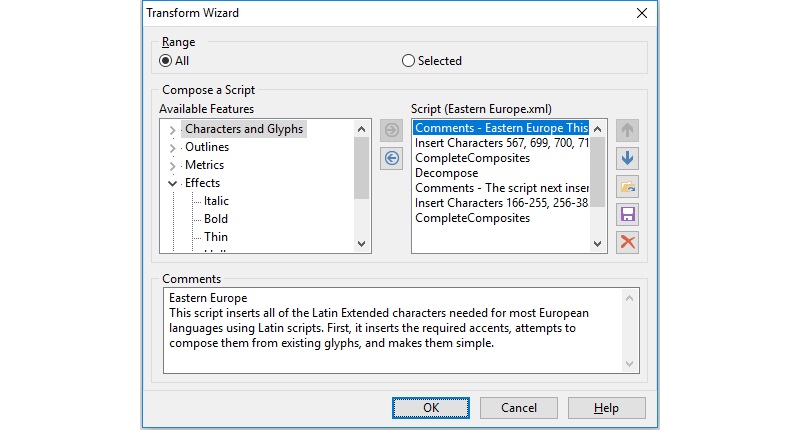
Powerful Transform Wizard
FontCreator offers a robust transform wizard, simplifying the glyph transformation process with just a few clicks. Effortlessly add characters for other languages, small capitals, and beyond or transform your font to Italic or Bold.
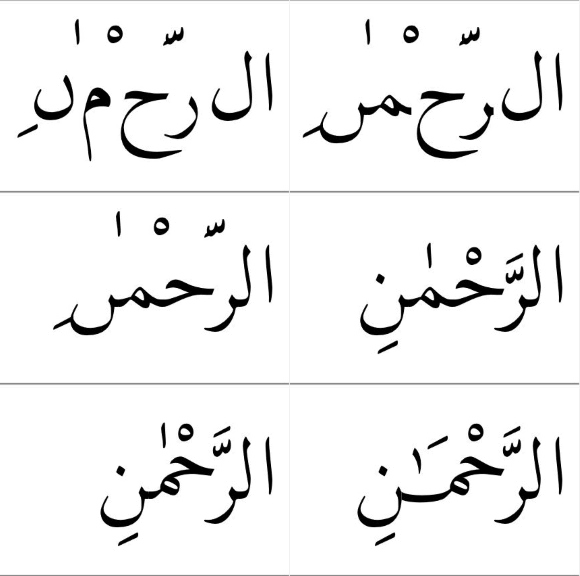
OpenType Feature Proofing
Use FontCreator to debug OpenType layout features with the interactive proofing tool. It uses an advanced shaping engine which allows you to view, create, edit, and debug even the most complex fonts.

Optical Metrics
The optical metrics feature simplifies one of the most complex and time-consuming tasks in font design. It analyzes a set of the most common characters to find the best left and right side-bearings for each of these glyphs.
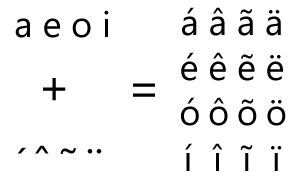
Complete Composites
FontCreator allows intelligent generation of character outlines for more than 3000 (mostly accented) composite characters. It supports both composite data definitions and anchor based positioning.
What They're Saying

I created a font called Dinzy Minzy with FontCreator. It's on myfonts.com in the top 50 Hot New Fonts!!! Thank you for the great font editor!
Aaron Bogle

FontCreator is a fabulous piece of software. It works flawlessly and is sooo much more powerful than the more expensive alternative font editors.
Stephen Cassar

FontCreator functions extremely well. No other font editor offers such a complete and comprehensive set of tools.
Malcolm Wooden

I highly recommend FontCreator and want to say thank you for a brilliant font editor; stable, intuitive, powerful, and simple to use.
Rickard Törnqvist

After trying multiple font editors, I decided to download FontCreator. It is worth every penny, as it turned out to be efficient, user friendly and reliable.
Daniel Escudero

I have used FontCreator since 2003 to create fonts for printing and the web with all of the accents needed for Pāḷi and many other languages including Vietnamese.
Bhikkhu Pesala

When inspiration grabs me, I want at my fingertips the perfect tool capable of translating my inspiration into something tangible. FontCreator is that tool.
Steve Boewe

I use FontCreator to create non-standard Chinese characters for scholarly publications in the field of Chinese grammatology. For my work, this font editor is indispensable.
David Holm

FontCreator rocks! Creating fonts has certainly got a fairly steep learning curve to it, but if any font editor helps take the edge off that, it’s High-Logic’s FontCreator.
Ron Koster

FontCreator is a dream to use. The OpenType Designer provides valuable visual feedback, crucial to my work. Quite simply, this is a stellar program that comes with stellar staff support.
Twin Page Productions

I use Font Creator software from the High Logic family for 8 years running. I like the font editor for its ease of use & convenience of upgrade.
Ethan Chia

I like the intuitiveness of FontCreator. Everything in this font editor is exactly where it should be.
Hanoch Waldenberg

FontCreator is the ideal tool to create fonts, particularly single line (open contour) fonts. Whilst having every option you could imagine to create and tweak fonts, the learning curve isn't steep, and new users can be up and running quickly.
Andrew Hunt

FontCreator is a technical marvel for font design. With powerful features and an intuitive interface, it makes working with various font formats fast and convenient. It’s ideal for both hobbyists and experienced type designers, and High-Logic’s contribution to font creation is truly impressive.
Iqbal Amin

Since the first day I started fonts, I found High-Logic's Font Creator and have never looked anywhere else. It's the perfect font editor developed by some of the best people in the industry, and their success has made my business succeed!
Robert R. Barba

I would say the best font creator software in the world that is extremely easy to start with. Double thumbs up!!
Ayman Siddiqui

I use FontCreator, a very nice program to create your own fonts and to modify existing fonts. Easy to use, even for a layman. If it really sticks times, the support is also top notch.
Günther Jockisch

I have been using FontCreator to design special symbols which I then import to a music editor software. It helps me fingering guitar music scores. It is straightforward to use and looks really neat in print.
Tom Semkow

Even though I use multiple tools for font creation, I always rely on the Font Validation Wizard as a final check for all my fonts.
Raymond Larabie

Font Creator is so easy to use, even a blind person with a screen reader can use it – no kidding.
Howard Geltman

FontCreator's Visual OpenType Designer has been an absolute game changer for designing Bangla fonts. It makes handling complex anchors and marks incredibly intuitive.
Jayed Ahsan Saad — Founder of Codepotro

I have been using FontCreator since 2018, and it remains the most intuitive font editor I’ve ever used. As a designer who often works on complex script fonts, I’m constantly impressed by how smoothly the software handles intricate designs without needing a high-end computer.
Ef Studio
FontCreator has the right mix of precision and intuitive use that makes it ideal for a hobbyist who is also a retired engineer. That mix gives me the best of both worlds.
John Barry
Your font editor helps me and my clients to create beautiful designs. I really appreciate it.
Elron Bucai
We would love to hear what you like about our font editor FontCreator. Let us know, so we can add it here. Thank you for your support!
