Home arrow Products arrow Scanahand

Scanahand - add a personal touch to your computer

It's never been easier for Windows users to make their own custom fonts. Scanahand creates fonts that you can use in Microsoft Word, Excel, PowerPoint, Notepad, and any Windows application. You can even load your fonts on Macintosh computers.

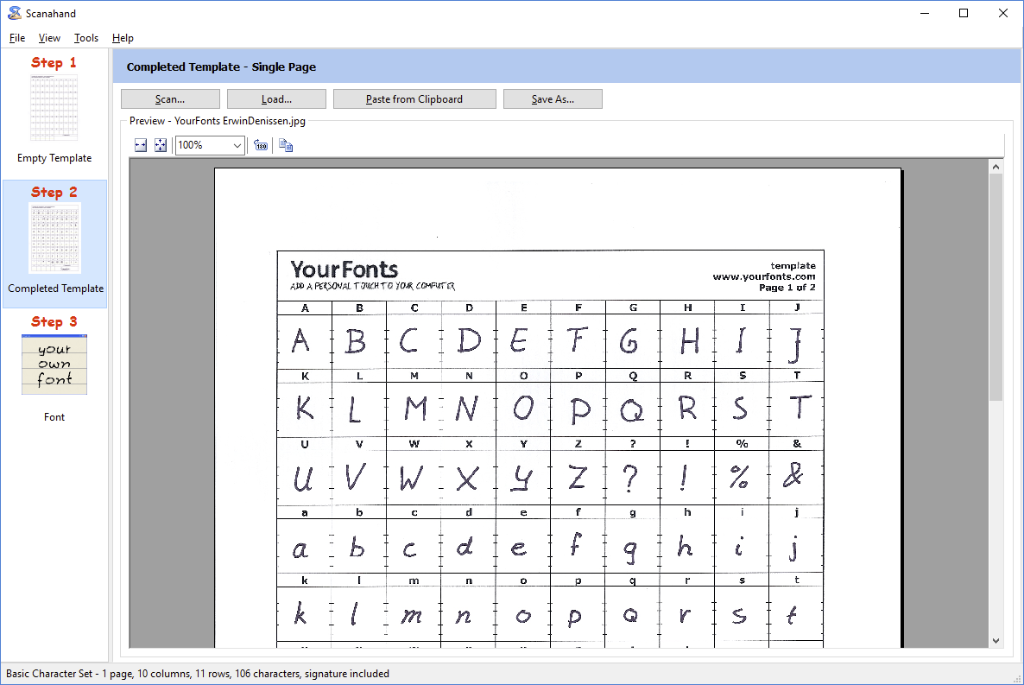
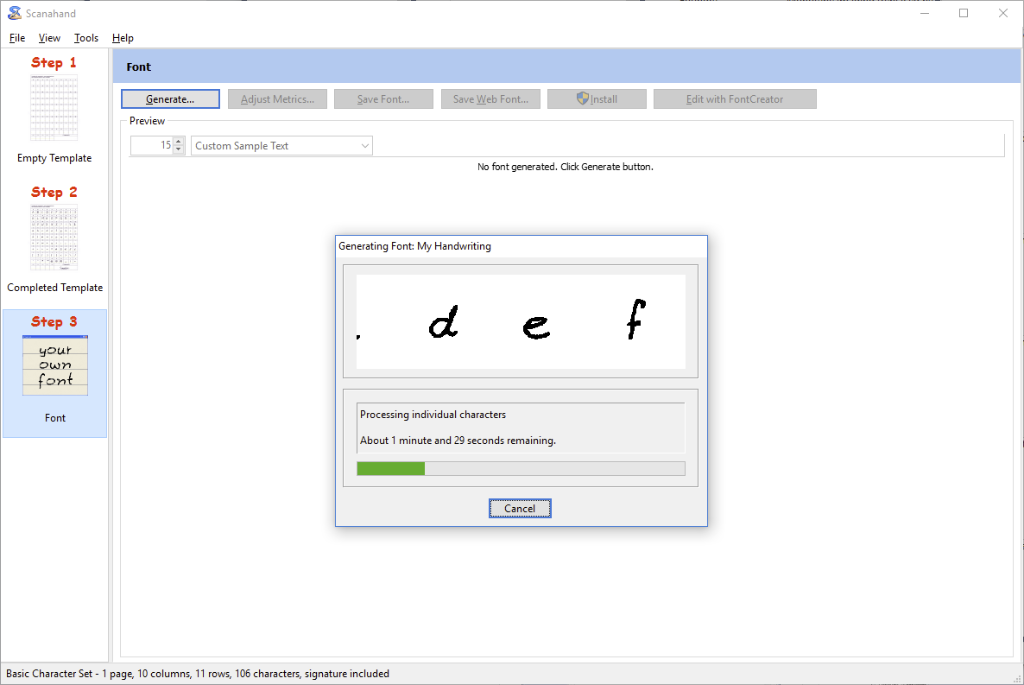
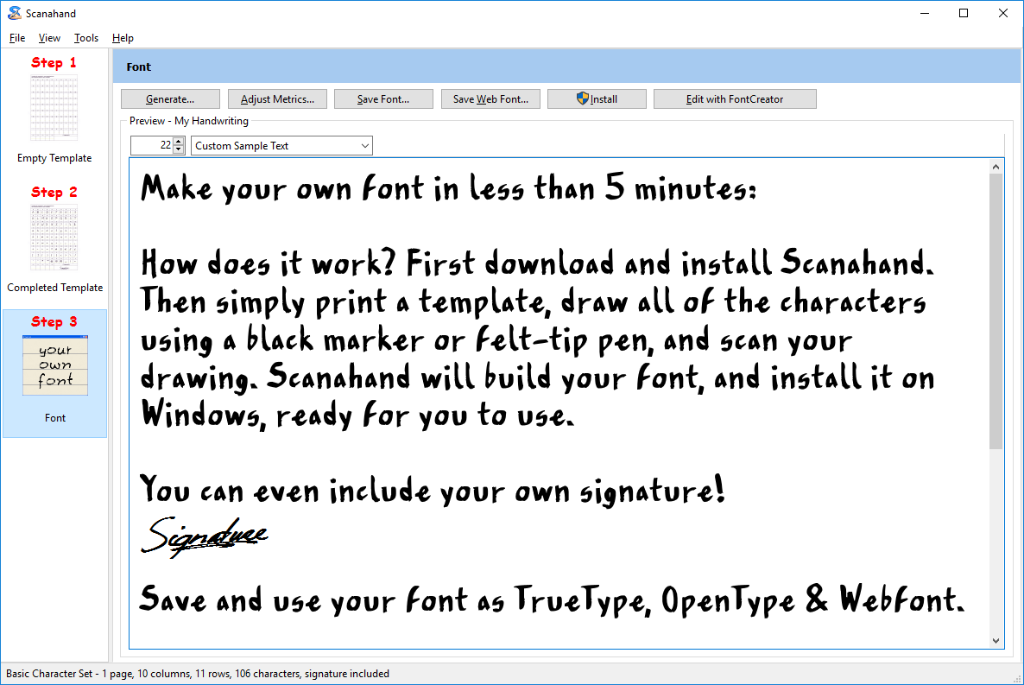
Your own handwriting font made with ScanahandHow does it work? Simply print a template, draw all of the characters using a black marker or felt-tip pen, and scan your drawing. Scanahand will build your font, and install it on Windows, ready for you to use. You don't need to use additional graphics software, but Power Users and Hobbyists alike can use Scanahand along with their favorite graphic drawing software to create or modify each character of their font. So even without a printer and scanner you'll be able to create custom fonts.

The Standard Edition allows you to create fonts that support English, German, French, Dutch, Italian, Danish, Swedish, Norwegian, Spanish, Portuguese, Basque, Estonian, Faeroese, Frisian, Irish, Galician, Hungarian, Icelandic, Albanian, and Esperanto.

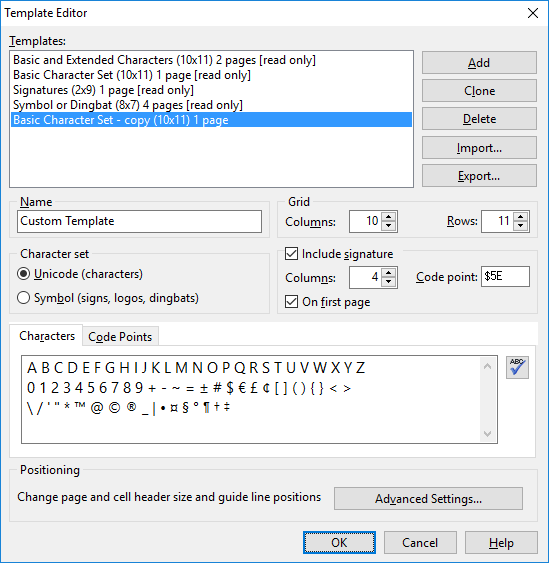
The Premium Edition allows you to make and use your own templates. For each template you can define your own character set (for example with Czech or Greek characters), so it allows you to create multilingual fonts.

Buy Scanahand Now | Download Free Trial | User Manual


Key Features

  • Personalize your correspondence by creating a font in your actual handwriting
  • Add your signature to a font for quick insertion using any Windows program
  • Develop a distinctive look for your home and business communications
  • Use your own handwriting on letters, greeting cards, and scrapbook projects
  • Make a suite of fonts so you'll always put the right face on your correspondence
  • Share your fonts with friends and family, on their Windows or Mac OS X computers
  • Capture your child's handwriting as it improves over the years
  • Save time writing holiday cards, while adding a personal touch
  • Design fonts that let your personality shine through
  • Turn icons, company logos, or any line art into font characters
  • Decide what characters to include in your fonts, with the built in template editor
  • Have fun, while exercising your creativity

System Requirements

  • Microsoft Windows 7, Vista, XP, 2003, 2000, NT, Me, 98 or 95
  • 16MB of available hard-disk space
  • 512MB of RAM
  • Printer and Scanner, or some additional image editing software

Our software works with Windows only, but fonts created with Scanahand can also be used on Mac OS X and Linux.

User Manual

It really is simple to turn your printed characters into a font. Check out the online user manual, and see how easy it is to use Scanahand. It takes only a few minutes to become creative and productive. Having fun begins immediately.

Comparison Chart

Scanahand is available in two editions. This comparison chart shows the differences between the Standard and Premium Edition.

Purchase

Download the free trial version of Scanahand now, and see how quickly and easily you can turn your handwriting into a font. Scanahand runs in reduced functionality mode during the trial period. When you buy a license you will receive a registration code that unlocks all functionality for the specific edition and makes your copy legal. Scanahand Standard Edition costs $49.00(US) for a single-user license. The Premium Edition, with support for symbol fonts and custom templates, costs $79.00(US).

Visit the Buy page for more information about prices, registration details and to order online.

Additional Information


Products

Font Editor

FontCreator 6.0.1 new!

Font Manager

MainType 2.1.1

Font Generator

Scanahand 2.0

News

July 18, 2009

FontCreator 6.0.1 released.

October 29, 2008

Scanahand 2.0 released.

May 16, 2007

MainType 2.1.1 released.

More news...

Newsletter

Sign up now for our free newsletter, and we'll send you information about software updates and new products.

User Quotes

“Creating a font with Scanahand was fun!”

Al Harberg

“MainType is the font manager that should have been built into Windows long ago.”

Robert Barnett

“I have been able to build a successful business using FontCreator.”

Chris Slaughter

More user quotes...

Awards

FontCreator and MainType awards

More awards...