Use the Guideline dialog to create or modify guidelines.
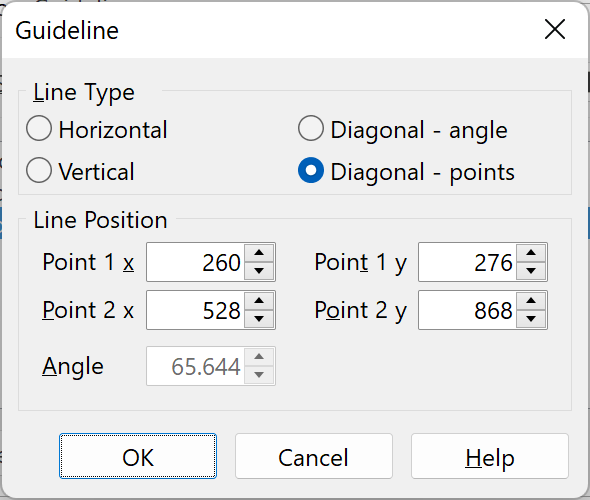
Line Type
Choose between horizontal and vertical lines and two diagonal line types.
Line Position
Both horizontal and vertical lines only need one value.
A diagonal line needs either one point with an angle or two points.
Tip: The Guideline dialog is activated when you double-click a guideline in the Glyph panel.