You can edit the text samples used on the Test Desktop Font dialog by right-clicking on the test area and select Edit Text Samples.
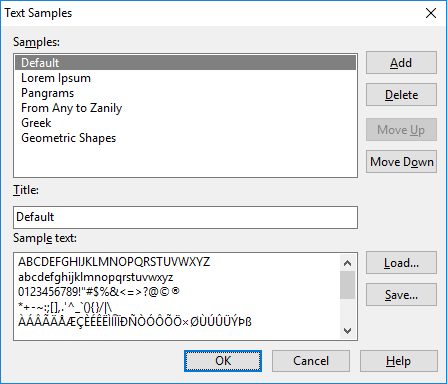
Here you can add, delete and change the order of the text-samples.
You can edit the text samples used on the Test Desktop Font dialog by right-clicking on the test area and select Edit Text Samples.
Here you can add, delete and change the order of the text-samples.

F7 for caret browsing Hold ALT and press letter
| This Info: | ALT+q |
| Page Header: | ALT+h |
| Topic Header: | ALT+t |
| Topic Body: | ALT+b |
| Contents: | ALT+c |
| Search: | ALT+s |
| Exit Menu/Up: | ESC |