On the Tools menu, click Options, and then click the Advanced tab.
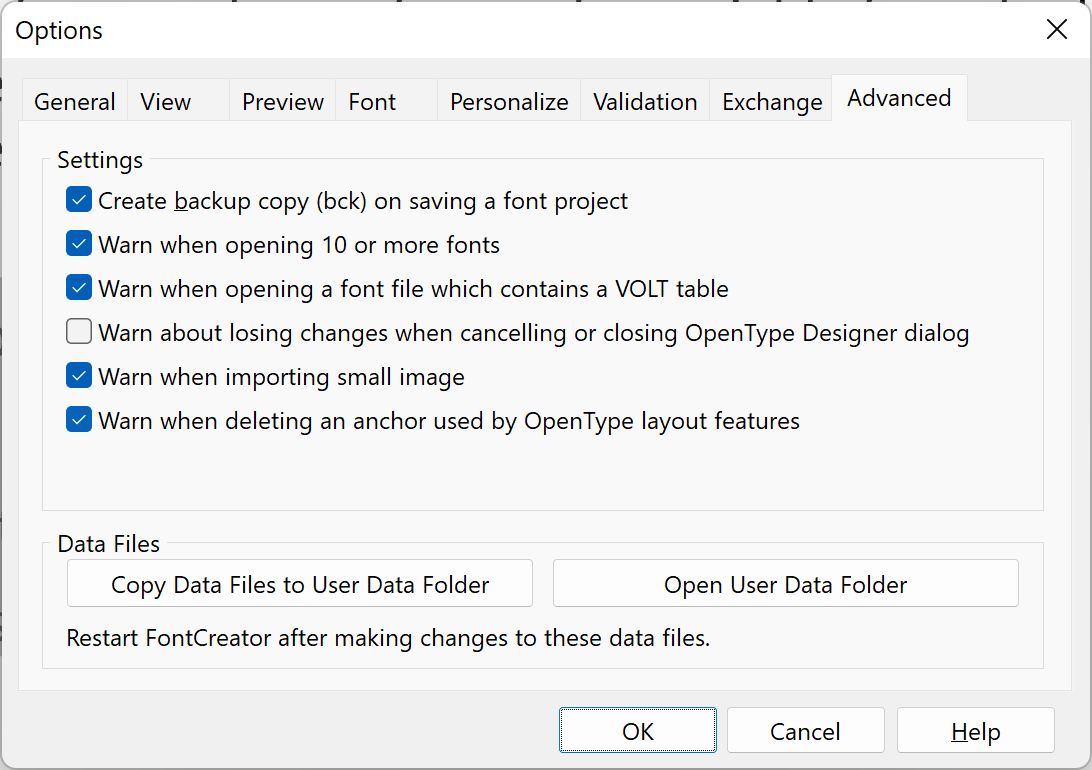
Create backup copy (bck) on saving a font project
Copies the previous version of a font project as a backup copy every time you save a font project. Each new backup copy replaces the previous backup copy. FontCreator saves the backup copy (with a file name extension .bck) in the same folder as the original.
Warn when opening 10 or more fonts
This indicates and determines if a warning will be issued when opening 10 or more fonts. Opening a lot of fonts at the same time will require a lot of system resources.
Warn about losing changes when cancelling or closing OpenType Designer dialog
This indicates and determines if a warning will be issued when you cancel or close the OpenType Designer dialog while it has changes that would be lost.
Warn when deleting an anchor used by OpenType layout features
This indicates and determines if a warning will be issued when you delete an anchor that is used by OpenType layout features.
Warn when importing small image
This indicates and determines if a warning will be issued when you import a small image.
Data Files
FontCreator uses several data files for advanced settings and customizations. Normally these files are stored in a system folder where they cannot be changed. If you want to edit these data files they must first be copied to your user data folder. First click Copy Data Files to User Data Folder and then Open User Data Folder to start editing the files. See FontCreator data files for more information.