The default layout of MainType will look like the image below.
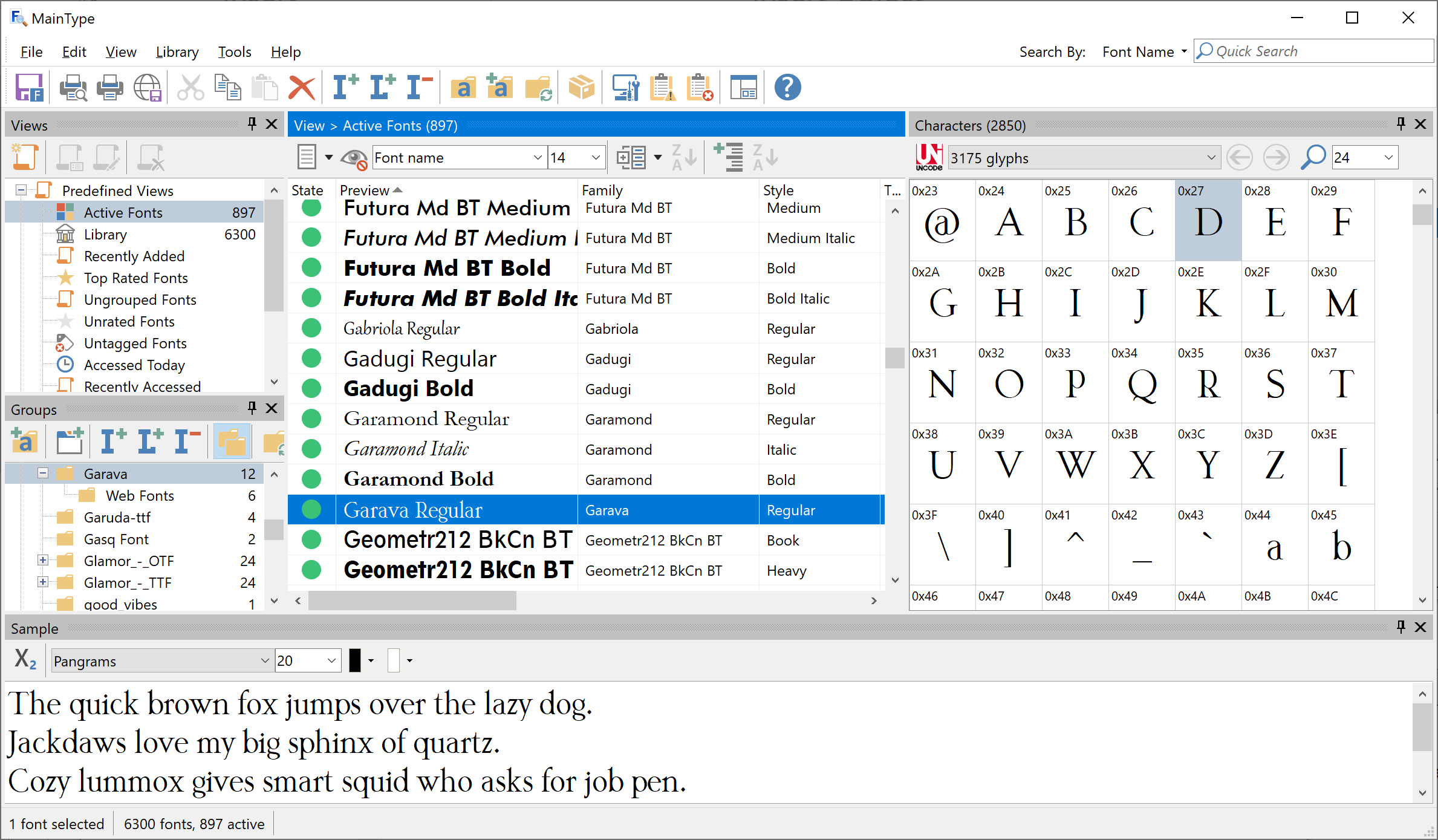
With all ten panels enabled it might be a little overwhelming, but fortunately you can move, reposition, resize, and even hide the panels. When you have all panels in place for a specific task, do save the layout so that you can easily switch between specific layouts as needed.
Show and hide panels
From the main menu, select View -> Panels to show or hide a panel.
Themes
MainType comes with a light and a dark theme, available from the main menu, View -> Theme. The dark theme reduces power usage and improves visibility in a low-light environment.
Quick Search
You can use the Quick Search edit box, available in the upper right corner, to find fonts based on Font Name, Family, Foundry, Tags, or Note.
See also: