The Glyph Transformer wizard can be selected from the Tools menu. Glyph transformations are scripts for changing the shape and size of glyphs, and for automating other repetitive tasks.
FontCreator comes with over 70 powerful scripts. There are scripts that allow you to change a font into an italic or bold version. Other scripts extend a font’s range by adding characters for Greek Extended, Eastern Europe, Vietnamese, Ligatures, Small Capitals, and more. Several transform scripts use glyph names to insert unmapped glyphs for use with OpenType features: Petite and Small Capitals for Latin, Cyrillic, and Greek, Titling Capitals, Ordinals, Alternative Fractions, Lining, OldStyle, Proportional and Tabular Figures, Subscripts for fractions, Discretionary Ligatures, Stacking Diacritics, and Uppercase Diacritics. Each script contains descriptive comments and advice on how to use it.
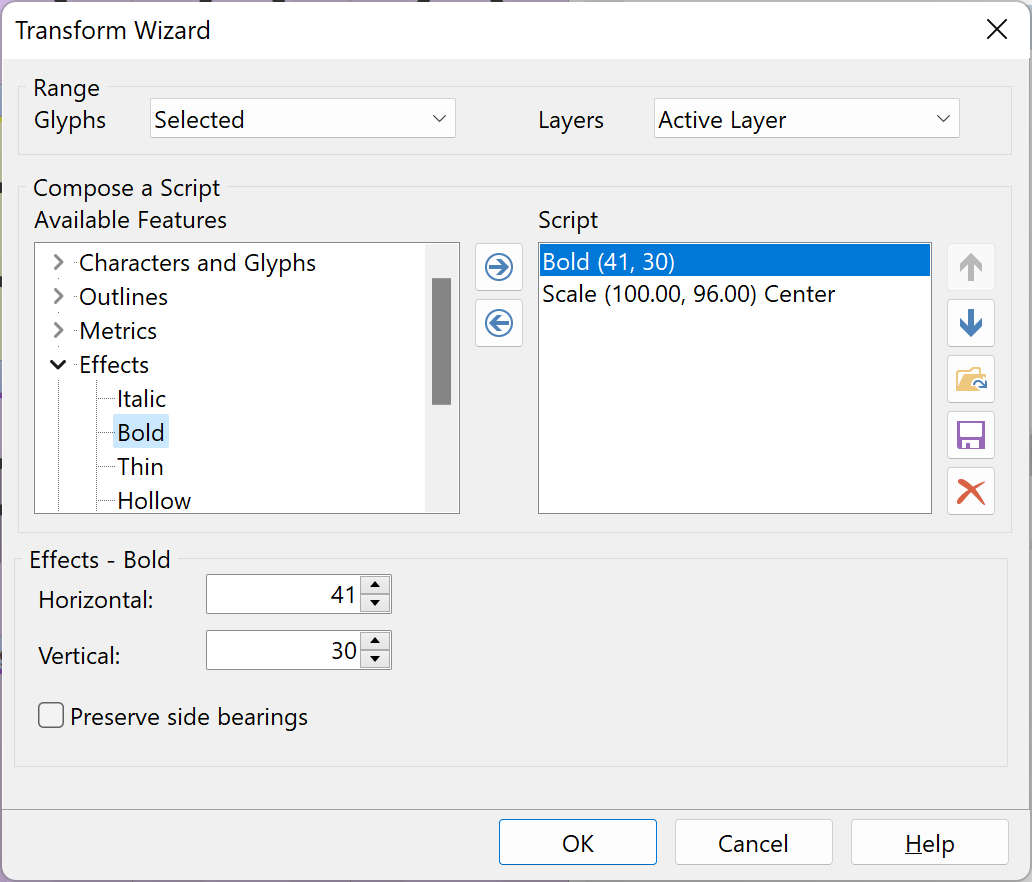
These scripts can be modified to suit your needs, and you can compose custom scripts by adding commands from the list of available features on the left. Save them to use again later using the save icon, and load a saved script using the folder icon. Press the OK button to execute the currently loaded script on the current glyph in the glyph panel, on the selected glyphs, or on the entire font.
Note: Existing OpenType layout features might need to be adjusted after scaling or moving outlines and/or metrics.
Info: If you really want to get the most out of this feature, we encourage you to read the document Using Glyph Transformations, available from our website:
https://www.high-logic.com/font-editor/fontcreator/tutorials 
The Outlines group of features includes Round Corners (see Round Corners for its settings) and Join Contours, which merges overlapping contours of a glyph into one.
The Scale feature of the Outlines group has the option Preserve stroke thickness, with an Amount. Scaling a glyph to 90% makes every stroke 10% thinner; with the option on, the outlines are scaled and each stroke is then brought back to the thickness it had, by the given amount of the difference: 100% keeps a 73-unit stem at 73, 50% goes halfway. It works on straight, diagonal and curved strokes, and on a variable font it takes the masters of a glyph together so the instances between them keep their thickness too. The stems of the font, when it has them, tell it what a stroke of the design looks like. Side bearings follow the Scale feature's own setting and the advance width follows the ink.
A composite glyph whose base glyph is not in the range, and a glyph with a stroked path, are left untouched: after the run a message lists them and they are selected, so you can extend the range and run again. At large enlargements (200% and more) a hairline cannot be kept at its full thickness on the curve handles it has; use a lower amount there. Scripts saved with the option run as before in earlier versions, without it.